


That Shopping List PRO
4.545.00 Reviews
App Specs
- Version
- 15.07.00
- Updated On
- License
- Free
- Downloads
- 100,000+
- Developer
- markenapps
- Categories
- Shopping
- Platform
- Android
Screenshots
 Analysis by AppCompare
Have you ever headed to the store only to realize you forgot your shopping list? Or maybe you’ve scribbled it on a piece of paper that mysteriously vanished? Well, I’ve been there, and that’s when I stumbled upon That Shopping List PRO. After giving it a whirl, I have to say, this app might just be your new grocery shopping best friend.
The Ultimate Shopping Companion
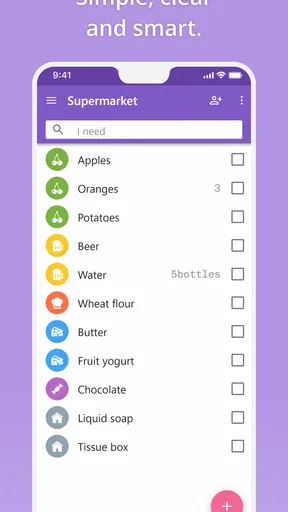
That Shopping List PRO is not your average list-making app. It’s designed to make your grocery trips efficient and stress-free. Right from the start, I noticed how user-friendly the interface is. The app welcomes you with a bright and clean layout, which is just what you need when you’re juggling multiple errands.
One of the coolest features is the ability to categorize items. You can sort your groceries by sections like produce, dairy, or meats. This might sound trivial, but trust me, it makes your shopping experience a breeze. No more zigzagging across the store—everything is neatly organized!
Sharing is Caring
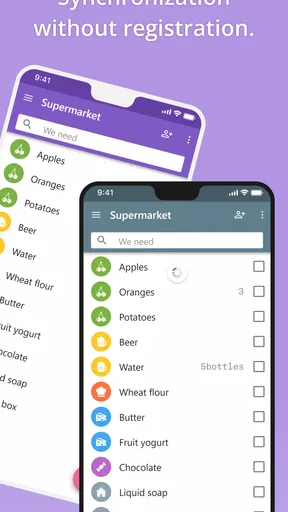
Let’s talk about one of my favorite features: list sharing. You can easily share your grocery list with family or friends. Whether you’re planning a potluck or just need someone to pick up a few items, this feature is a lifesaver. The sharing process is super simple, and you can even sync the list in real-time. So, if you add "bananas" and your partner adds "milk," both updates appear instantly.
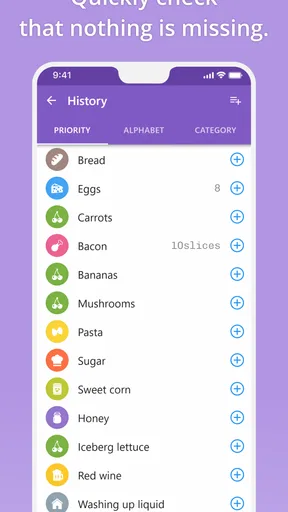
And if you’re worried about your partner accidentally deleting items, worry not! The app has a history feature that lets you retrieve any items removed by mistake. It’s like an undo button for your shopping life.
Customizable and Smart
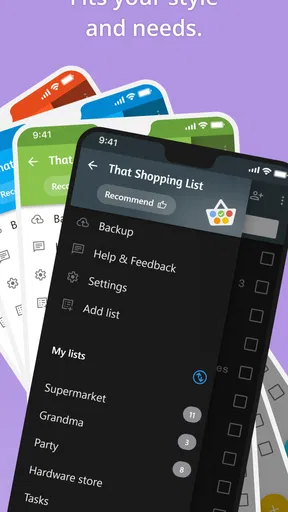
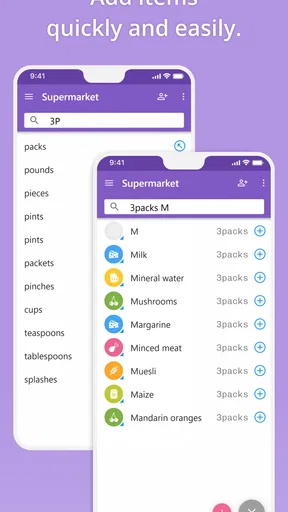
Customization is key, and this app doesn’t disappoint. You can personalize lists with different colors and labels. It’s perfect for those of us who love a bit of personalization. Plus, the app learns from your habits. Over time, it suggests frequently bought items, saving you the hassle of retyping them. It’s like having a smart assistant in your pocket.
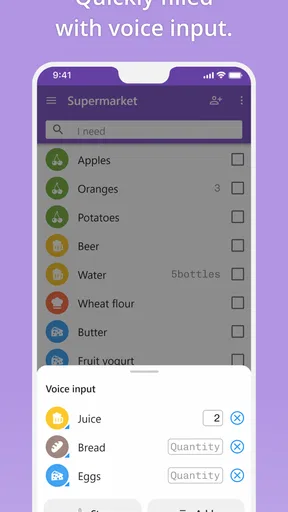
I also appreciated the voice input feature. Sometimes, you just don’t have the time to type everything out. With voice input, you can quickly add items while multitasking. Just say "add eggs" and boom, it’s on your list!
Worth Reading Before You Choose

EA SPORTS FC Mobile 26 Is a Bigger Football Game, but It Takes Time

Flipboard Shows What News Apps Must Do Beyond the Feed

Switching to Android Auto Means Rethinking Your Driving Routine

Google Calendar Makes a Crowded Week Easier to Manage

Ludo King Makes the Most of the Minutes Between Plans

Baby Panda World Brings Quick Play to Modern Phones, but Its Game Library Feels Busy
Offline Access and Privacy
No internet? No problem. That Shopping List PRO offers offline access, which is a huge plus. Your lists are always available, whether you’re in the subway or in a remote store with spotty Wi-Fi. And for those concerned about privacy, the app respects your data. No unnecessary permissions required, ensuring your shopping habits remain your business.
Wrapping It Up
In a world where we’re constantly looking for ways to make life easier, That Shopping List PRO stands out as a handy tool for anyone looking to streamline their grocery shopping. It’s packed with features that genuinely enhance the experience, and it does so with a simple, intuitive design.
So, the next time you find yourself scrambling to remember if you needed to buy almond milk or not, give this app a try. It might just become your new favorite app, turning grocery shopping from a chore into a pleasure. Happy shopping!
Pros
- Simple and intuitive interface.
- Supports voice input for quick lists.
- Syncs across devices seamlessly.
- Customizable categories and items.
- No ads in the PRO version.
Cons
- Limited sharing options.
- No barcode scanning feature.
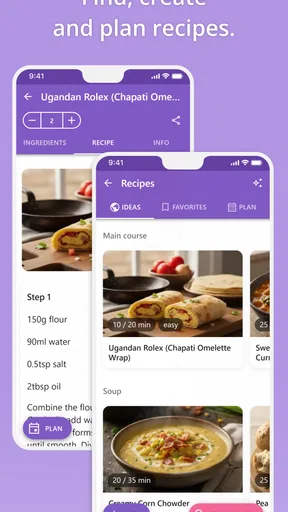
- Doesn't support meal planning.
- Limited integration with other apps.
- No offline mode for syncing.
FAQs for That Shopping List PRO
What features does That Shopping List PRO offer compared to the free version?
That Shopping List PRO provides a range of enhanced features, including unlimited list creation, custom categories, and advanced list sharing options. Users can also enjoy ad-free browsing, voice input for quick list additions, and integration with smart devices for a seamless shopping experience. These features make it easier to organize and manage your shopping needs efficiently.
Is That Shopping List PRO compatible with both Android and iOS devices?
Yes, That Shopping List PRO is designed to work seamlessly across both Android and iOS platforms. This ensures that users can enjoy the app’s features regardless of their device choice. Additionally, it supports cloud syncing, allowing you to access and update your shopping lists from any compatible device.
How does the app handle data privacy and security?
That Shopping List PRO takes data privacy seriously, employing encryption to protect user information. The app does not share personal data with third parties, and users have control over their data through customizable privacy settings. Regular updates ensure that security standards are maintained, providing peace of mind to users.
Can multiple users collaborate on the same shopping list?
Absolutely! That Shopping List PRO supports collaborative list sharing, allowing multiple users to contribute to and edit the same shopping list. This feature is particularly useful for families or roommates who need to coordinate their shopping. Changes made by any user are updated in real-time, ensuring everyone stays informed.
What kind of customer support is available for That Shopping List PRO users?
Users of That Shopping List PRO have access to dedicated customer support via email and in-app messaging. The support team is responsive and equipped to handle queries ranging from troubleshooting to feature requests. Additionally, a comprehensive FAQ section and user guides are available to assist with common questions and app navigation.


